Azure Runbooks Workbench is getting close to 20,000 installs. Which is a little peculiar to me because it started with a much simpler thought…
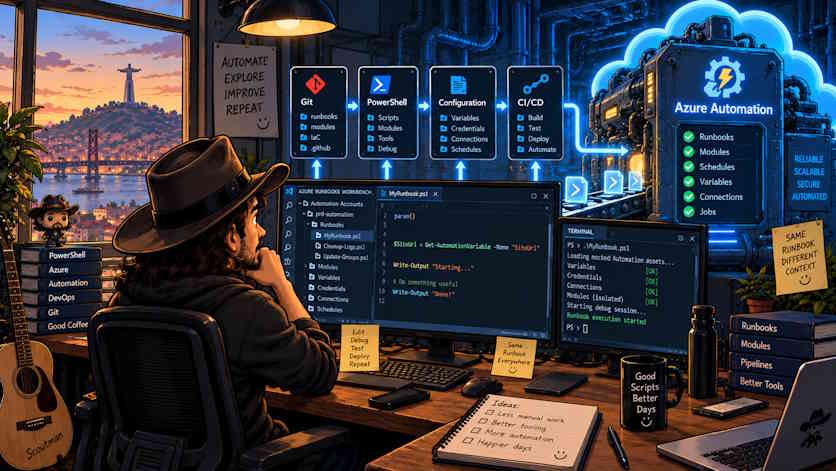
Why is developing an Azure Automation Runbook still so annoying?
I’ve been using Azure Automation pretty much since it appeared and I still like the service :give me a PowerShell script, a Managed Identity, a schedule and somewhere reliable to execute it without maintaining another server and I’m happy.
There are obviously newer and shinier ways of running code in Azure, but there are an enormous number of automation scenarios where a Runbook is still exactly the right tool. The problem for me was never Azure Automation as a runtime. The runtime is actually the bit that works quite well.
The problem was everything that happens before the runtime.
We write some PowerShell locally, copy it into Azure, run it, discover that Get-AutomationVariable doesn’t exist locally, change something, run again, discover that the version of a module in Azure isn’t quite the same as the version we have on our laptop, go back to the portal, check an Automation Account variable, change the script again, publish it, start a job, wait for the job, open the output…
…and somewhere around there we realise we’re doing software development by moving text between browser windows.
That was really the reason I started Azure Runbooks Workbench:not because Azure Automation needed another editor(VS Code already has a rather good editor 😁) -What was missing was a development model.
And that distinction ended up being much more important than I originally expected.
The portal shouldn’t be your source tree
One of the first decisions I made was that Azure shouldn’t be where the development state lives.
That sounds slightly strange because we’re talking about Azure Automation, but think about a normal application: we don’t normally say that the copy currently running in production is our development environment, we have source files, dependencies, configuration, tests and eventually something gets deployed.
Runbooks should be no different , so Workbench became workspace-first.
A Runbook is a normal .ps1 or .py file in a normal folder, sitting in Git where VS Code,PowerShell and normal tools understand it.
Azure is something the workspace is connected to.
That sounds like semantics but architecturally it changes almost everything.
The extension needs to understand that there can be a local version of a Runbook, a draft version in Azure and a published version currently executing in Azure:those three things are not necessarily the same thing and pretending they are creates some fairly nasty synchronization problems.
This is also why I didn’t want a magical sync constantly pushing files backwards and forwards. When I’m editing a file locally I want to know that it’s local, if I’m uploading a draft I want that to be intentional.
And if Azure contains something different from what I have locally, I want to be able to see that before I overwrite it.
That’s where what looks from the outside like a simple VS Code extension starts becoming a state management problem.
Workbench keeps metadata about the Automation Accounts linked to the workspace, the Runbooks it knows about and synchronization information where among other things, I use hashes to understand what has actually changed.
It means the file itself can remain just a file so I don’t need to put deployment metadata inside somebody’s PowerShell script just so the tooling can understand it. The code should be code and the tooling should keep its own bookkeeping.
Then local execution ruins the simple architecture …
The moment you say “I want to develop Runbooks locally” the obvious next question is “Can I run them locally?" …and that’s when things get interesting.
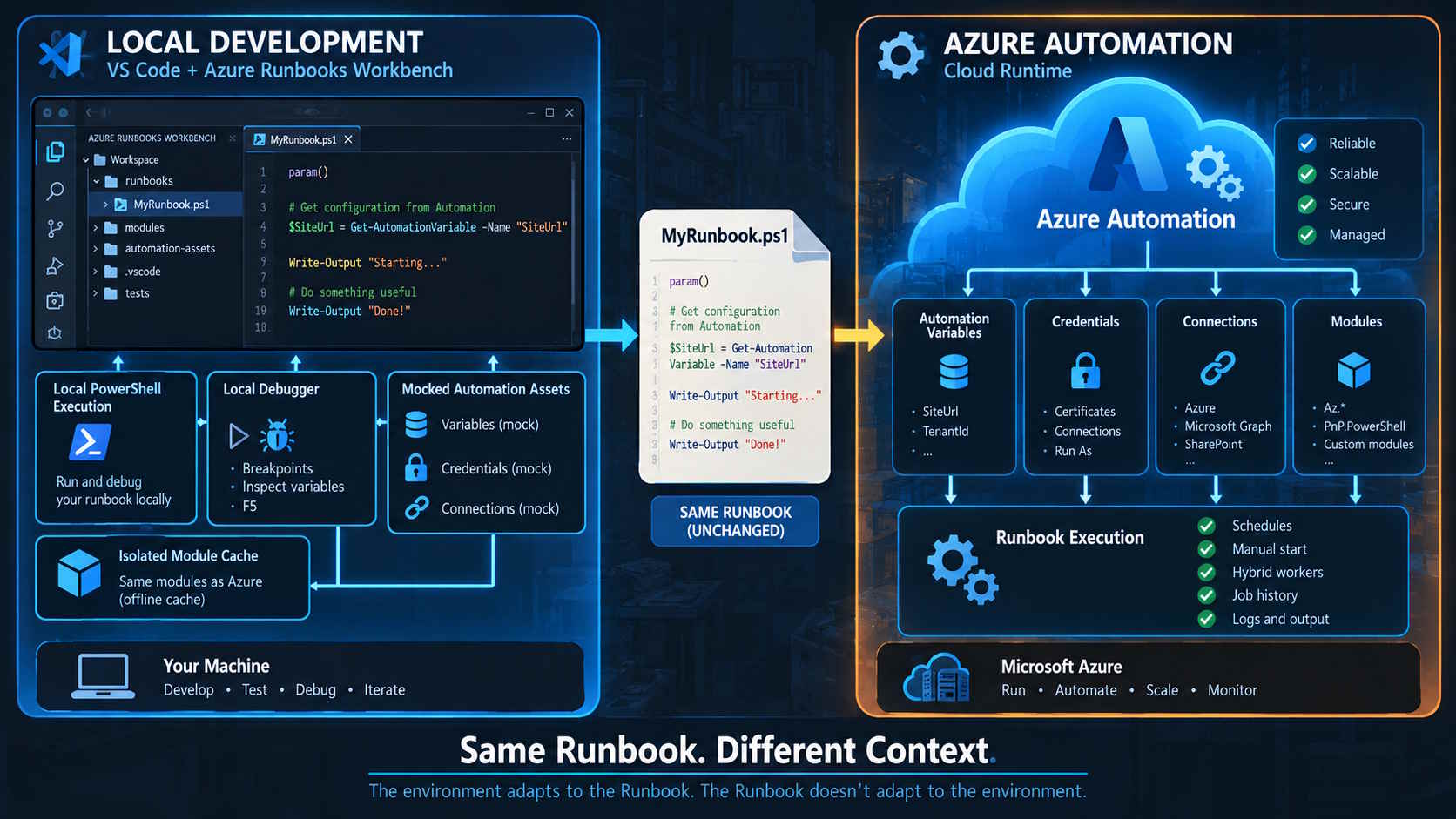
A real Runbook doesn’t execute in isolation, it expects an Azure Automation environment around it.
Take something as simple as:
$SiteUrl = Get-AutomationVariable -Name "SiteUrl"
Perfectly normal inside Azure Automation, but locally that command means absolutely nothing.
The same happens with credentials, certificates, connections and all the other Automation assets that exist around a Runbook. Then add authentication. A Runbook might use a Managed Identity to connect to Azure, Microsoft Graph or SharePoint using PnP PowerShell.
Your laptop isn’t an Automation Account and, more importantly, I don’t want Workbench pretending that it is one. So instead of trying to recreate Azure Automation locally I went for a mock layer.
Workbench can generate local representations of the Automation assets that the Runbook expects and inject those into the local execution environment.
This means the Runbook itself doesn’t need a load of code like:
if ($RunningLocally) {
    ...
}
else {
    ...
}
I really didn’t want that : ouur production code shouldn’t have to know that the VS Code extension exists, the local environment should adapt itself to the Runbook… not the other way around.
That became one of those principles that started small and ended up influencing quite a lot of the architecture.The same applies to modules.
PowerShell developers will know this particular rabbit hole very well.
We test something locally with module version X, Azure Automation has module version Y.
Another project on your machine needs version Z. $env:PSModulePath becomes increasingly creative and suddenly a script works perfectly on our machine for reasons nobody can reproduce.
Workbench now keeps workspace modules isolated.
When we need a module for a Runbook workspace we can download it into the workspace’s own module cache and local execution can use that environment.
It isn’t a container and it isn’t trying to be one:it’s simply creating enough isolation that developing one Automation solution doesn’t need to modify the PowerShell environment of the whole machine.
That made local debugging possible as well.
And debugging is where the whole thing stops feeling like scripting against Azure and starts feeling like actual development
Breakpoint, hit F5, inspect variable, then step and change something, finally run again: That experience is completely normal if you’re building an application.
It should also be normal if the application happens to be a 300-line PowerShell Runbook.
CI/CD exposed another interesting problem
Eventually local development wasn’t enough either:because once the Runbooks are files in a workspace and the workspace lives in Git, someone will quite reasonably ask why we’re manually publishing them.
Fair point.
So I started adding pipeline generation: And I deliberately didn’t want Workbench to generate one enormous Azure DevOps YAML file containing half the logic of the extension translated into pipeline syntax.
That creates another problem I’ve seen far too often… the pipeline becomes an application.
Instead the generated pipeline basically becomes the entry point into a deployment orchestrator:the actual deployment logic is PowerShell, with Bicep and JSON describing the things that need to exist around the Runbooks.
That also allowed the deployment scope to grow beyond simply “upload this .ps1 file”, because a useful Automation deployment isn’t just Runbooks.
The Runbook may depend on modules,schedules, the Automation Account itself may need configuration,there may be certificates and other resources associated with that environment.
Once you look at the whole thing like that, you’re not deploying scripts anymore: you’re deploying an Automation solution.
And of course Azure eventually reminded me that distributed systems don’t care how elegant your pipeline looks: I had a particularly annoying race condition around module deployment.

The pipeline staged the module, told Azure Automation to import it and cleaned up the temporary staging location. Usually everything worked.
Usually… 😒
The problem was that accepting the request isn’t the same thing as finishing the import: Azure could still be provisioning the module while the temporary blob containing the module package had already disappeared.
…which resulted in one of my favourite categories of cloud problem.
“Your request succeeded. The thing you wanted didn’t."
The fix wasn’t complicated once I understood what was happening:the deployment needed to follow the provisioning state and only clean up the staging resources when Azure had actually finished consuming them.
But that little bug is a good example of why I increasingly dislike putting lots of deployment logic directly into YAML. This wasn’t a YAML problem,it was a lifecycle problem.
The deployment code needed to understand the lifecycle of the resource it was deploying.
And that’s probably what the 20,000 installs are telling me
I don’t think people installed Azure Runbooks Workbench because the world desperately needed another VS Code tree view… lol At least I hope not 🤣
I think there is still a surprisingly large gap between cloud runtimes and developer experience: Azure Automation knows how to execute Runbooks,PowerShell knows how to execute PowerShell,Azure DevOps and GitHub know how to run pipelines.
All of these things already existed.
Most of the work in Workbench has actually been about the space between them: understanding context, understanding which Automation Account a file belongs to,which version is local and which one is deployed.
Making Azure assets available during a local execution without changing the actual Runbook,giving the Runbook an isolated dependency environment, taking what was developed locally and turning it into something repeatably deployable.
That is the interesting part for me.
The extension itself is TypeScript and APIs and PowerShell and a lot of VS Code plumbing… but the architecture is mostly about context.
...and I've started noticing this pattern in quite a few other things I'm building.
We have spent years making individual systems extremely capable, but we still make humans do an enormous amount of work translating context between them: open this,copy that,select,remember this, use that…
What I’m finding more interesting these days isn’t adding yet another capability:it’s figuring out how much of that context the tooling can understand by itself while still leaving the important decisions with the person using it.
Funny enough, that thought is taking me somewhere quite different now...
…but I’ll leave that for a future article. 🤠